
Themie: Wallpapers & Themes
Lutech MosaicPersonalization
4.5975.00 Reviews
- Version
- 42.0
- Installs
- 10.00M
- Age Rating
- Everyone
Screenshots
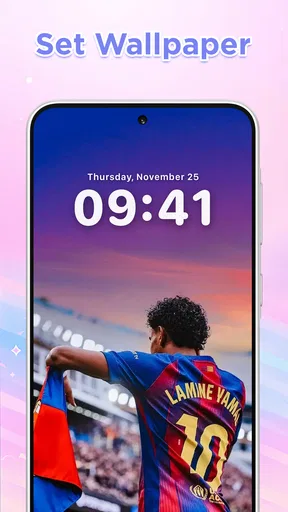
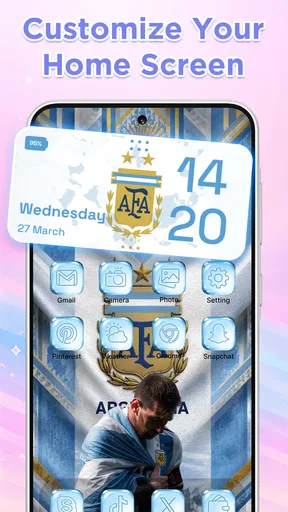
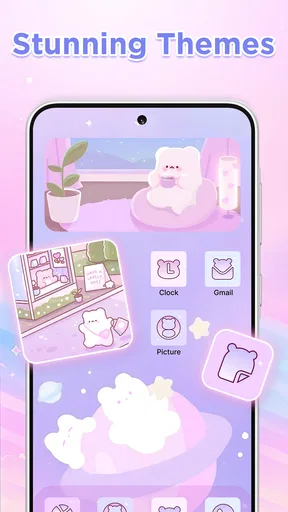
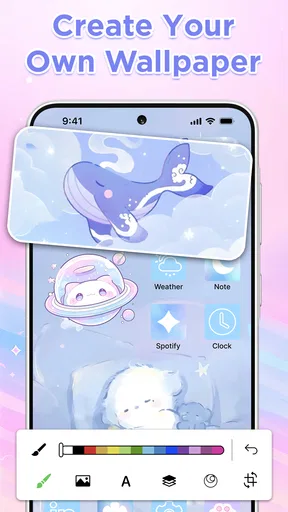
Our Review of Themie: Wallpapers & Themes
 Analysis by Appyee
I look at Themie: Wallpapers & Themes as a personalization app for people who want their phone to feel more like theirs without turning customization into a project. Its appeal is the combination of visual choices and quick ways to change a screen’s mood. That said, I’d approach it as a source of ideas and decoration, not as a reason to expect every device to behave identically or every theme to suit every setup.
What a good first session should tell you
When trying any wallpaper or theme app, I find it useful to judge more than the first attractive image. I want to know whether I can narrow down the choices, whether a preview helps me make a decision, and whether a design still works once icons and text sit on top of it. Themie’s focus on customization makes those practical questions more important than the size of its gallery.
The app is free to download, with optional in-app purchases listed from $0.99 to $19.99 per item. I’d start by exploring what is available without paying and decide whether a particular paid choice adds enough value for my own use. That is a more sensible approach than treating every visible theme as something I need to collect.
How to choose wallpapers that work day to day
A wallpaper can look striking on its own and still be awkward behind a busy home screen. I’d check whether the main subject sits under app icons, whether bright areas make labels difficult to read, and whether a lock-screen clock would cover something important. A preview is most useful when I use it to test those details, rather than simply asking whether the image looks good full-screen.
For a practical routine, I’d keep one calmer image for the home screen and use a more expressive design where fewer icons compete with it. That small distinction can make a phone feel personalized without making it harder to scan at a glance. It is also a useful way to decide whether a coordinated theme is worth changing more than one part of the screen.
Who is likely to enjoy it—and who may not
Themie makes the most sense for someone who likes refreshing a phone’s appearance occasionally, enjoys browsing visual styles, and is happy to spend a little time checking how a design fits their own layout. It may also suit anyone who wants inspiration before settling on a look, rather than someone who already has a specific image ready to use.
If you rarely change your wallpaper, prefer a completely plain interface, or want extensive control over every icon and system element, a dedicated launcher or the customization tools already built into your phone may be a better fit. Those options can be more appropriate when precise layout control matters more than browsing themed visuals. I wouldn’t choose Themie expecting it to replace every device-specific setting.
A balanced way to approach its options
Animated designs can add a little movement, but I’d treat them as an occasional choice rather than an automatic upgrade. A moving background may be more visually lively, yet a static image can be easier to live with when I want a quiet screen or need the wallpaper to stay unobtrusive. The best choice depends on how often I look at the display and what I need to see there.
There is also a trade-off between a complete makeover and a small change. A coordinated pack can make a stronger visual statement, while changing only the wallpaper is less disruptive if I already like my icons and arrangement. I’d begin with the smallest change that gives me the result I want, then adjust further only if the screen still feels mismatched.
For an everyday example, imagine wanting a less distracting phone before a busy workday. I’d browse for a restrained background, preview it against the home screen, and check that the image does not compete with the icons I use most. If it passes that test, I can make the change without reorganizing the device; if not, I can keep looking rather than settling for an attractive image that becomes irritating after a few hours.
First Impressions and User Interface
When I first opened Themie: Wallpapers & Themes, I was greeted by a sleek and intuitive interface. The layout is super user-friendly, making it easy to navigate through the vast array of wallpapers and themes. The developers have nailed the balance between aesthetics and functionality, which isn’t something you see every day.
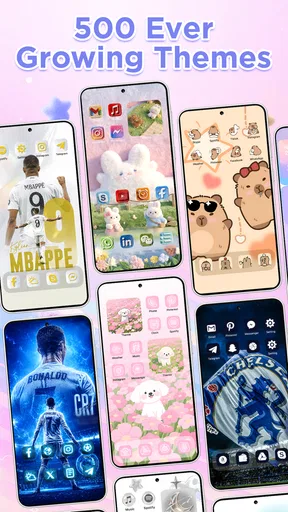
One of the first things that caught my eye was the organized categories. From nature and abstract to tech and minimalism, there’s something for everyone. The app also features a search bar, which is a lifesaver if you’re hunting for something specific.
Features That Stand Out
Now, onto the features. One thing that’s pretty cool about Themie is the dynamic wallpapers. These aren’t your typical static images. They bring your screen to life with subtle animations, making your home and lock screens feel fresh and engaging.
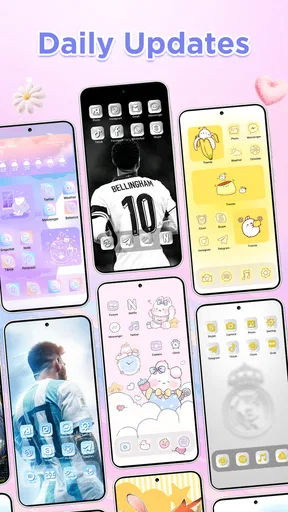
Another feature I loved is the theme packs. You can change the entire vibe of your phone with just a few taps. It’s like a mini makeover for your device, and who doesn’t love a good makeover? Plus, the app updates regularly with new themes, so you’ll never run out of options.
Customization and Usability
Customization is at the heart of Themie. You can adjust the brightness, contrast, and saturation of wallpapers to suit your mood or match your device’s color scheme. It’s like having a personal art studio in your pocket.
Switching between themes is seamless, and the app’s performance is smooth, with no noticeable lag. This is crucial, especially when you’re switching up your phone’s look on the fly.
Integration and Compatibility
Themie plays nice with most devices, which is great news if you’re switching between Android and iOS. It’s designed to integrate smoothly, ensuring that your phone’s functionality isn’t compromised while you’re busy sprucing it up.
There’s also a neat feature where you can preview how a theme will look on your device before you commit to it. This means no more guessing games or regretting your choices.
Community and Support
One thing I appreciate about Themie is the community aspect. Users can submit their own designs, which means you’re not just limited to what the developers create. This keeps the content fresh and diverse.
If you ever run into issues, the support team is responsive and helpful. There’s also a handy FAQ section within the app that addresses common queries, which is always a plus.
As a personalization app developed by SebastianBona, Themie sits in a busy category where the usual alternatives are your phone’s built-in wallpaper picker, a general image collection, or a launcher with deeper interface controls. I see its strongest case in the browsing-and-previewing experience: it brings visual choices together for someone who wants inspiration and a quicker route to a new look. A built-in picker is simpler if I already know which picture I want, while a launcher is more suitable if I want to reshape navigation and icons rather than focus on appearance.
Small decisions that make customization more useful
One practical tip is to judge a wallpaper at the size and crop it will actually use, not only from its preview. A design with a subject near an edge can be less successful once it is fitted to a particular screen. I’d also compare the wallpaper with both light and dark icon areas if my screen uses mixed colors. These checks help avoid choosing an image that is beautiful in the gallery but visually crowded in daily use.
Another useful approach is to change one element at a time. If I switch wallpaper, theme pack, and other appearance settings together, it becomes harder to tell which change improved the screen and which one made it less comfortable. Making a single adjustment first gives me a clear fallback and helps me settle on a look that feels intentional instead of merely new.
For people who like to switch styles with the seasons, a saved shortlist of favorites can be more useful than repeatedly browsing from scratch, if the app’s available controls support the way they want to organize choices. I’d avoid assuming that every theme will transfer perfectly between devices: screen proportions and system styling can alter the final impression. Previewing on the phone I intend to use is the safest way to decide.
What to expect from the wider experience
Themie has an average rating of 4.5 from around 34,000 ratings, and it has passed one million installs. Those figures suggest that many people have found a reason to try it, but they don’t tell me whether its particular visual style will match my taste. I’d use the app’s own browsing and preview process to make that call rather than treating popularity as a guarantee.
It is rated for Everyone, and version 17.0 is listed for devices running Android 7.0 or later. The release date is October 19, 2025. I would still check that the app is available for my specific device and operating system before planning a switch, especially if I move between platforms. The most important practical question is not simply whether a theme exists, but whether it can be applied in a way that looks right on the phone I use every day.
People often wonder whether they need to pay before they can make a worthwhile change. Since the app is free and purchases are optional, I’d first explore the no-cost choices and only consider a purchase if a particular item is clearly the one I want. Someone who prefers to avoid in-app spending altogether can still decide whether the free browsing experience is useful, while a person with a strict budget should take care to distinguish optional items from the basic download.
Where I’d draw the line
The app is less compelling if the goal is fine-grained system redesign. Wallpaper and theme selection can refresh the surface, but a user who wants to rebuild the home-screen layout, change how apps are launched, or control every visual detail should compare it with device settings or a launcher built for that purpose. I’d also skip it if my ideal screen is deliberately bare; more choice does not automatically improve a setup that already works.
My other reservation is that visual browsing can tempt me to keep changing things without settling on a useful result. A consistent screen is often better than a rotating collection of striking images, particularly when I rely on recognizable app positions. I’d treat the range of designs as a toolkit, not a to-do list, and keep the look that makes the phone easiest to use.
Overall, Themie: Wallpapers & Themes
Privacy and Permissions
See what permissions an app requests and how it handles your data.
- Location
- approximate location (network-based), precise location (GPS and network-based)
- Photos/Media/Files
- read the contents of your USB storage, modify or delete the contents of your USB storage
- Storage
- read the contents of your USB storage, modify or delete the contents of your USB storage
- Camera
- take pictures and videos
- Microphone
- record audio
- Wi-Fi connection information
- view Wi-Fi connections
- Other
- view network connections, pair with Bluetooth devices, connect and disconnect from Wi-Fi, full network access, set wallpaper, draw over other apps, control vibration, prevent device from sleeping, modify system settings, set an alarm, install shortcuts, uninstall shortcuts, Google Play license check
Verdict
Strengths of Themie: Wallpapers & Themes
- Wide variety of high-quality wallpapers.
- User-friendly interface for easy navigation.
- Regular updates with new themes.
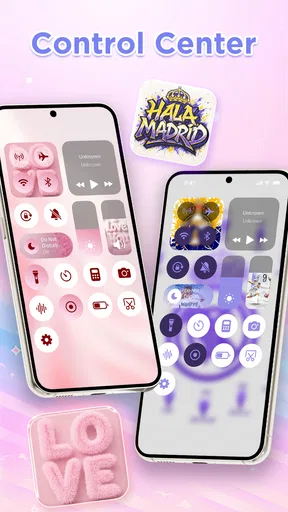
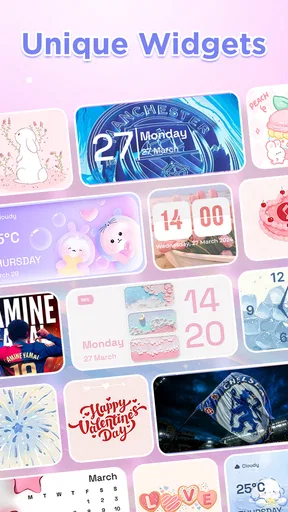
- Customizable widgets enhance personalization.
- Offline access to downloaded wallpapers.
Limitations of Themie: Wallpapers & Themes
- Some features require a premium subscription.
- Occasional ads can interrupt browsing.
- Limited free theme options available.
- App size may consume significant storage.
- Requires internet for theme updates.
Other Releases by Lutech Mosaic
View All
Plant Identifier: Tips & Care
Education4.0
Similar Picks in This Category
View All
Microsoft SwiftKey AI Keyboard
SwiftKey4.3

Wallpapers
Google LLC4.1

Zedge™ Wallpapers & Ringtones
Zedge4.7

Yandex Browser with Alice AI
Direct Cursus Computer Systems Trading LLC4.3

Ringtone Maker:create ringtone
Big Bang Inc.4.7

Fonts Keyboard
Fonts Keyboard3.9
Frequently Asked Questions
What features does Themie: Wallpapers & Themes offer?
Themie provides a vast library of high-quality wallpapers and themes designed to personalize your device. Users can explore categories ranging from nature to abstract art. The app also includes a favorites section to save preferred designs and a daily update feature to keep the content fresh and exciting.
Is Themie: Wallpapers & Themes free to use?
The app offers a free version with limited features and content. However, there is an option for a premium subscription that unlocks exclusive wallpapers, themes, and an ad-free experience. Users can choose between monthly or yearly payment plans, providing flexibility based on their preferences.
How user-friendly is the Themie app interface?
Themie boasts an intuitive and user-friendly interface. Navigation is straightforward with a clean design, ensuring users can easily find and apply wallpapers and themes. The app’s search functionality is robust, allowing for quick access to specific styles or categories, making personalization a seamless process.
Can I use Themie on both Android and iOS devices?
Yes, Themie is available for download on both Android and iOS platforms. The app is optimized for both operating systems, ensuring a smooth and consistent experience regardless of the device. Regular updates are provided to enhance compatibility and introduce new features.
Does Themie require an internet connection to function?
An internet connection is required to download new wallpapers and themes from Themie’s library. However, once downloaded, users can access and apply their saved content offline. This feature is convenient for those who wish to personalize their devices without constant internet access.
